What it does
Pick the apps whose notifications matter to you. Guardian watches them and fixes what HyperOS breaks.
- Keeps Google Play services awakeThe one fix HyperOS settings can't do, and the one every app depends on.
- Checks each app's delivery pathRunning, autostart, battery saver, background activity, frozen or not, at a glance.
- One tap to the right settingOpens the exact HyperOS screen for each problem instead of making you hunt for it.
- Tells you when an app gets killedAnd brings it back with a tap, so you don't miss anything.
- Measures late notificationsShows how late each one arrived, so you can see it working.
- Private by designReads when a notification arrived, never what it says. Goes online only to check for updates.
See it on a real phone
Every app you protect gets five checks, and a red one comes with a button that fixes it.
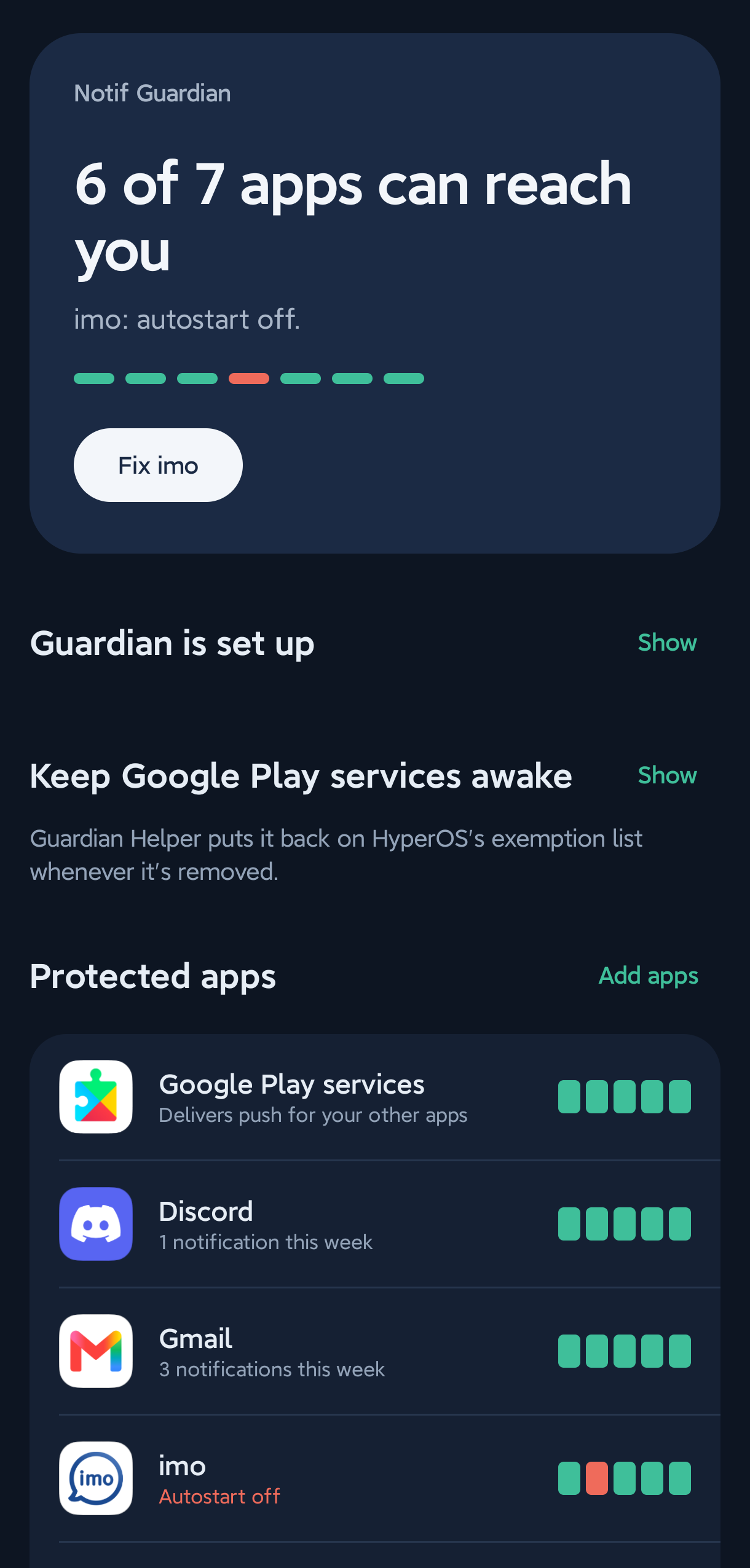
One-glance statusHow many apps can reach you, and a button for what's broken. 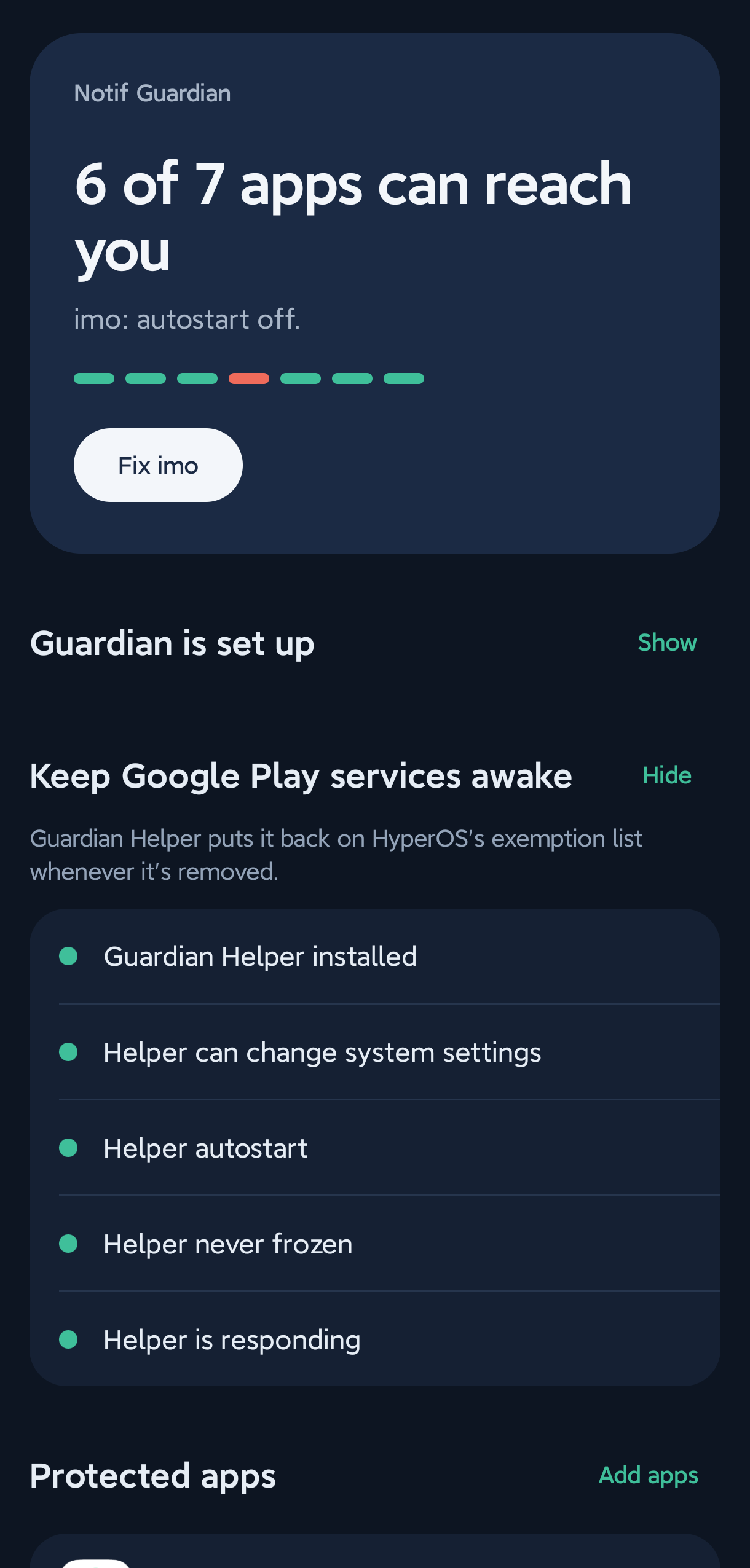
Keep Google Play services awakeGuardian Helper's setup checklist, all green. 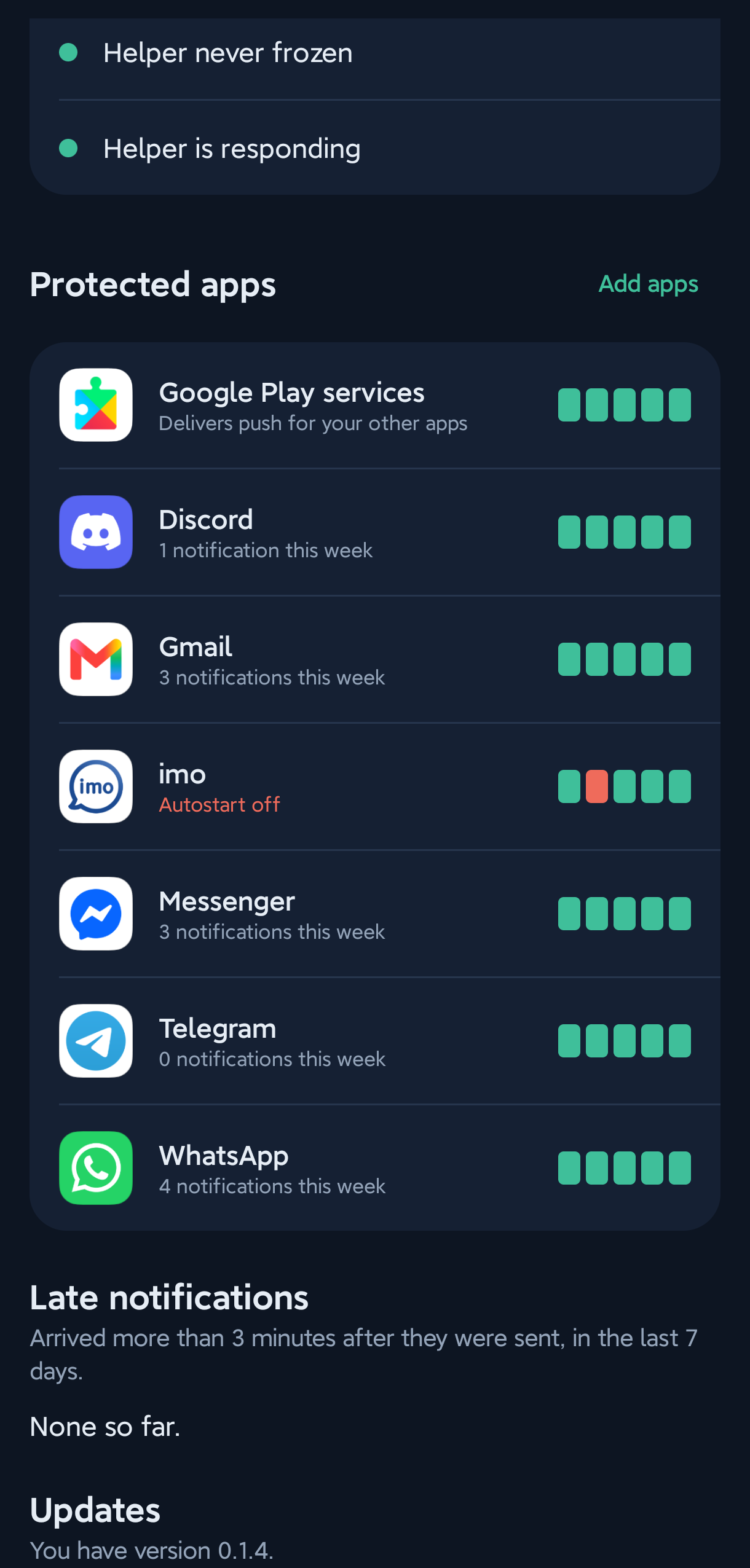
Per-app healthFive checks per app, and a log of late notifications.
Screenshots from a Redmi Note 14 Pro+ running HyperOS 3. The app itself is in English.
Install
About ten minutes, once, all on your phone. No computer needed.
-
Install Notif Guardian
Download
NotifGuardianabove, open it on your phone and allow installing from your browser or file manager. Open the app and turn every row in Guardian is set up green, then tap Add apps.If Android blocks Notification access because the app "comes from an unknown source": open the app's App info, tap ⋮ at the top right, choose Allow restricted settings, then try again. Android asks this once for any app installed from a downloaded file.
-
Install Guardian Helper
Download
GuardianHelperabove and install it the same way. It has no icon: it works in the background for Notif Guardian. HyperOS may warn that it's built for an older version of Android; that's expected, because it's the only way the helper can do its job.If your phone refuses to install it at all, install it from a computer instead: turn on USB debugging and Install via USB in Developer options, connect the phone, and run
adb install --bypass-low-target-sdk-block GuardianHelper-x.y.z.apk
-
Finish in the app
Open Keep Google Play services awake and turn every row green:
- Allow Modify system settings for the helper
- Turn on the helper's Autostart
- Set the helper's Battery saver to No restrictions
- Tap Open helper, confirm Android's review, then Test helper
Questions
Why do notifications only arrive when I open the app?
HyperOS freezes Google Play services while the screen is off. Push notifications for almost every app travel through it, so they wait until you unlock. Setting an app's battery saver to "No restrictions" helps that app, but HyperOS offers no such setting for Google Play services. That's the gap Notif Guardian fills.
Does it need root?
No, and no computer either: both apps install on the phone, and everything keeps working after reboots. Only if your phone refuses to install the helper do you need a computer, once.
Which phones does it work on?
Xiaomi, Redmi and POCO phones on HyperOS. It's tested on a Redmi Note 14 Pro+ with HyperOS 3. Older MIUI versions may work partly. If something doesn't, tap Share diagnostics in the app and open an issue on GitHub.
Does it drain the battery?
Barely. Guardian checks your apps once a minute and reacts when HyperOS changes its list. Keeping Google Play services awake is what every non-Xiaomi Android phone does anyway.
Telegram is still a little late sometimes. Why?
If you're active on Telegram Desktop or Web, Telegram's servers hold back the push to your phone on purpose. The phone delivers it the moment it arrives.
Does it read my messages?
No. It records which app posted a notification and when, never the text. Nothing leaves your phone unless you share a diagnostics file yourself.